
How to make an AI unboxing video
Plan the package, contents and reveal order before generating an unboxing-style ad, then review every product interaction.
By Janice Phil · Growth · Published
In this article
Define what the viewer should learn
An AI unboxing video is useful when the reveal answers a buying question: what arrives, how the item is packed, or how the parts fit together. Start by listing the actual contents and the order in which they appear. A generated surprise that adds something the buyer will not receive is a misleading product explanation.
Decide whether you need an AI presenter at all. Real footage of an intricate opening may be the strongest source, with AI used for an introduction or surrounding creative. The goal is an understandable ad, not an entirely generated sequence at any cost.
Prepare package references before writing motion
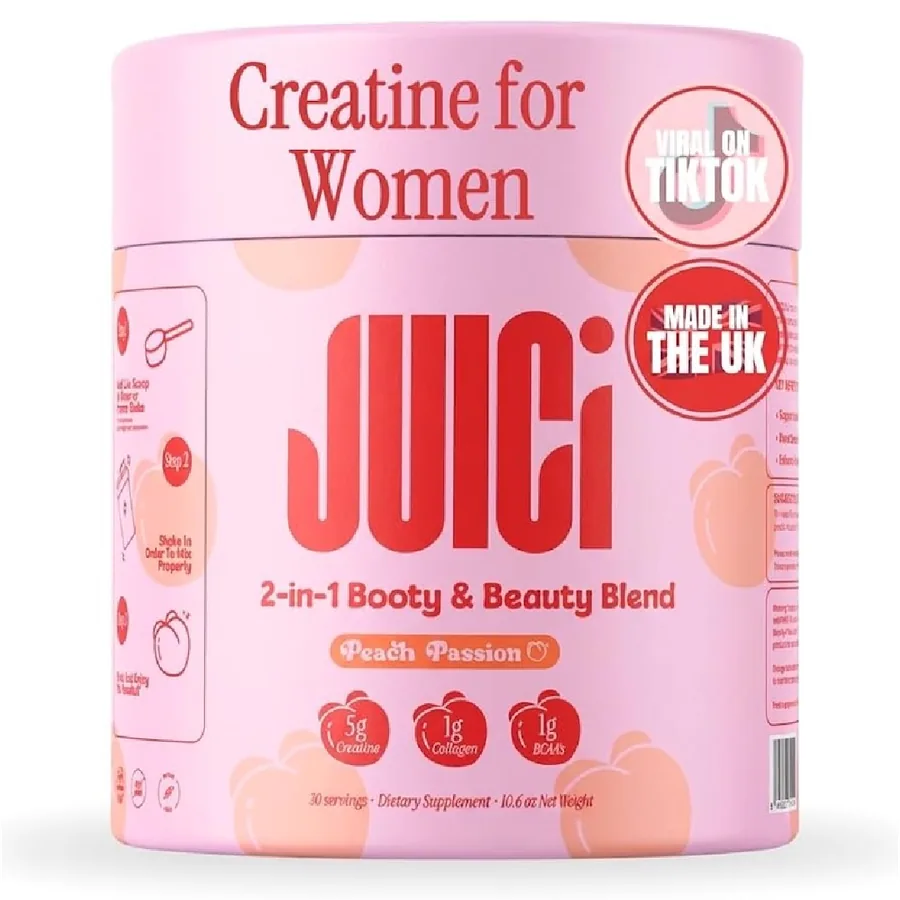
Gather the closed box, open box, inserts and product views. Label which parts are included and which are props. Match the SKU, size and color that the landing page offers. A front-facing product beauty shot alone does not show the generator how a package opens.
The product reference below is from the roasOS demo library. It is a packaging example, not a verified unboxing sequence or evidence that a specific prompt produced the image.
Split the reveal into manageable shots
A short sequence can use separate shots for the closed package, the opening and the product detail. Cutting between actions lets you preserve the accurate information without asking the model to solve every mechanical step continuously.
| Shot | Action | Required reference |
|---|---|---|
| Closed package | Show size and front clearly | Actual closed package |
| Opening | Reveal the interior with minimal motion | Open package and closure details |
| Contents | Present only included items | Verified contents arranged together |
| Product detail | Show one relevant feature | Accurate detail view |
| Next step | Point to contents or variant information | Matching product page |
Generate and approve the difficult shot first
Test the opening or hand interaction before producing the easy supporting shots. If that motion cannot be made accurate, you can adjust the plan early. Keep product and person references consistent and use one clear action per generation.
Review whether the box changes shape, the lid detaches incorrectly, an extra object appears, or the product material changes. Use a real filmed insert where necessary. Do not conceal a material error with a fast cut if the final sequence still misrepresents what happens.
Finish the ad around accurate information
An unboxing can feel natural without claiming to be a customer’s spontaneous purchase. Write presenter copy that explains the contents. Avoid invented first-person reactions such as “I ordered this last week” unless the speaker actually did and the use is authorized.
Add captions that match the approved speech, check the product crop, and verify the call to action. The viewer should be able to find the same package and variant after clicking.
Save the accepted sequence and its source references. Reusing the same validated packaging views for later hooks is more dependable than rebuilding the entire visual identity on each attempt.