
AI Creative Agent
From a creative brief to a working ad.
Plan, generate and refine ad creative with the roasOS Creative Agent, using your product references and an editable storyboard.
See current plans and credits
Start with a clear creative job.
Bring the goal, product and source material into one conversation. The Creative Agent connects ad analysis, planning, generation and assembly so the next action follows the brief. You can inspect a storyboard and revise an individual shot before committing to another render. It is useful when the work spans several tools rather than one isolated image.
What to bring
- Your product and approved claims
- Audience, offer and destination
- Reference creative you have permission to use
From brief to reviewed creative.
- 01
Give the agent the job
Describe who the ad is for, what the viewer needs to understand and which assets must stay accurate. Attach the product or select it from your workspace.
- 02
Shape the script and shots
Agree the message, then work through the storyboard. Review the dialogue, visual action and references for each shot instead of asking for an entire campaign without a brief.
- 03
Generate, review and assemble
Check the proposed generation and its cost, then inspect the results. Refine a failed shot or assemble approved clips; keep final editorial review with your team.
See the conversation and creative together.
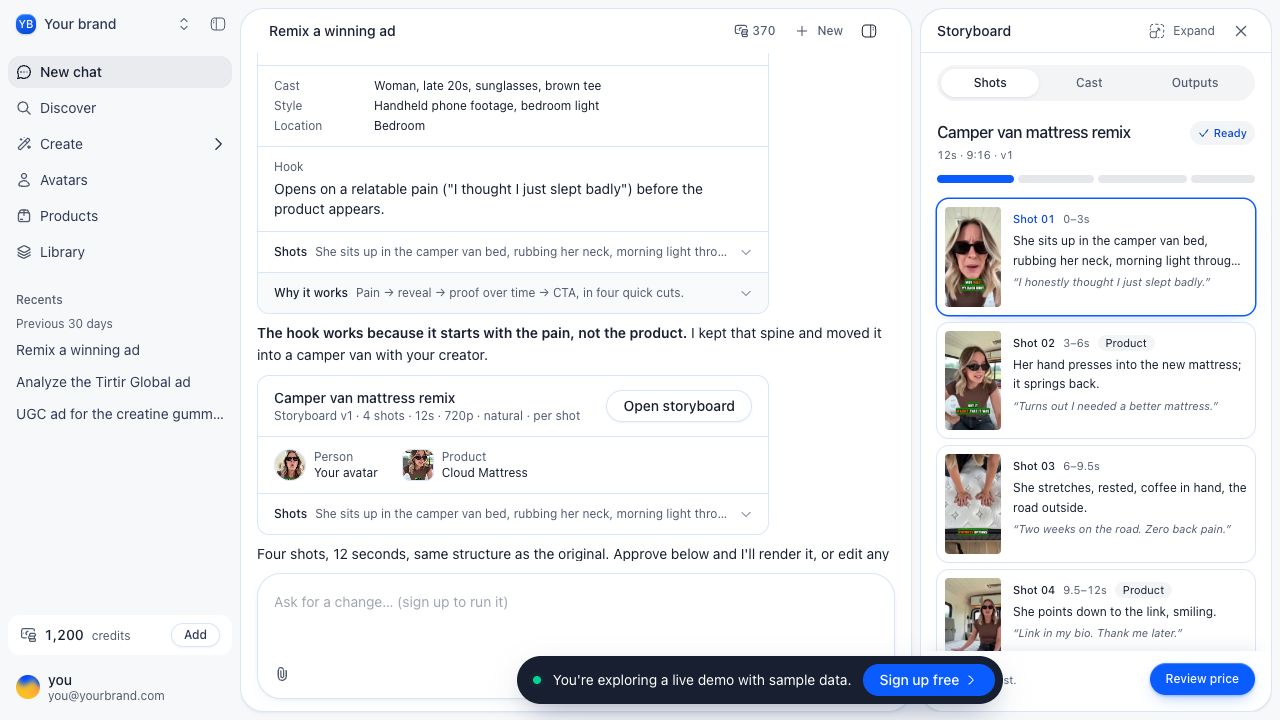
A brief to adapt.
Illustrative starting point—replace it with your actual product and approved information.
Create a three-shot ad for this travel bottle. Open on the cap, show the size next to a bag, and end on the available colors. Draft the script and storyboard before generating.
Before the asset becomes an ad.
- Script matches the offer
- Product and actor references are correct
- Final edit uses approved shots
Available models, inputs and credit estimates depend on the selected workflow. Check the current controls before generating, and review the final asset in its intended placement.
Tools for this job.
AI Product Photography
Create product images from references in roasOS. Plan backgrounds, lighting and composition while keeping the actual product at the center.
AI Video Generator for Ad Creative
Create video clips in roasOS with supported prompts, image references and model-specific controls for ad production.
Image to Video AI
Animate a source image in roasOS with a focused motion brief and supported image-to-video settings.
Questions about this workflow.
Does the agent publish my ads?
This workflow produces creative assets. Launching campaigns and managing media spend remain separate from creating and reviewing the ad.
Can I change one shot?
The storyboard tools support shot-level edits. A changed shot may need a new generation; review the current estimate before proceeding.
Go deeper with the guides.
How to make AI UGC ads: from brief to video
Build a creator-style ad from a clear brief, an approved avatar and product references, then review the result before you launch.
AI UGC costs: calculate cost per usable ad
Compare generation, retries, editing and review using a simple cost model based on accepted ads rather than raw output.
Ship 10x more creatives. Spend 90% less.
Product photos, video ads, and copy. All from one platform, ready in minutes.
Get started