
AI UGC prompts: a reusable production brief
Write prompts that specify the subject, action, spoken line, references and review criteria without overloading the scene.
By Janice Phil · Growth · Published
In this article
Write a production brief, not a wish
A useful AI UGC prompt says what must happen in the shot and what must stay unchanged. “Make a realistic viral ad” leaves the model to choose the product, action, camera and message. A structured brief makes those decisions explicit and gives you a way to reject an otherwise attractive result.
Separate creative intent from factual constraints. Tone can be relaxed; the product label, package contents and dimensions still need to be accurate. The model should not invent a benefit because it sounds persuasive.
A prompt template you can adapt
Use this as an illustrative template, then adapt it to the fields and capabilities of your selected model. It has not been presented as a tested output guarantee.
Purpose: a short creator-style product demonstration.
Audience question: [one buying question].
Reference assets: [authorized avatar], [front product photo], [detail view].
Scene: [specific setting], stable medium shot, soft daylight.
Action: [one simple visible action].
Spoken line: "[approved words]".
Delivery: conversational, with a pause for the demonstration.
Keep unchanged: face identity, product proportions, label and colors.
Do not add: accessories, claims, logos or extra people.
Reject if: packaging changes, fingers intersect the product, or speech differs from the approved line.
Use references to carry visual facts
Provide the strongest available product reference instead of trying to describe every label detail in prose. Use a portrait for identity, a product view for packaging, and a scene reference only when that setting matters. Keep the pack small enough that each reference has a clear job.
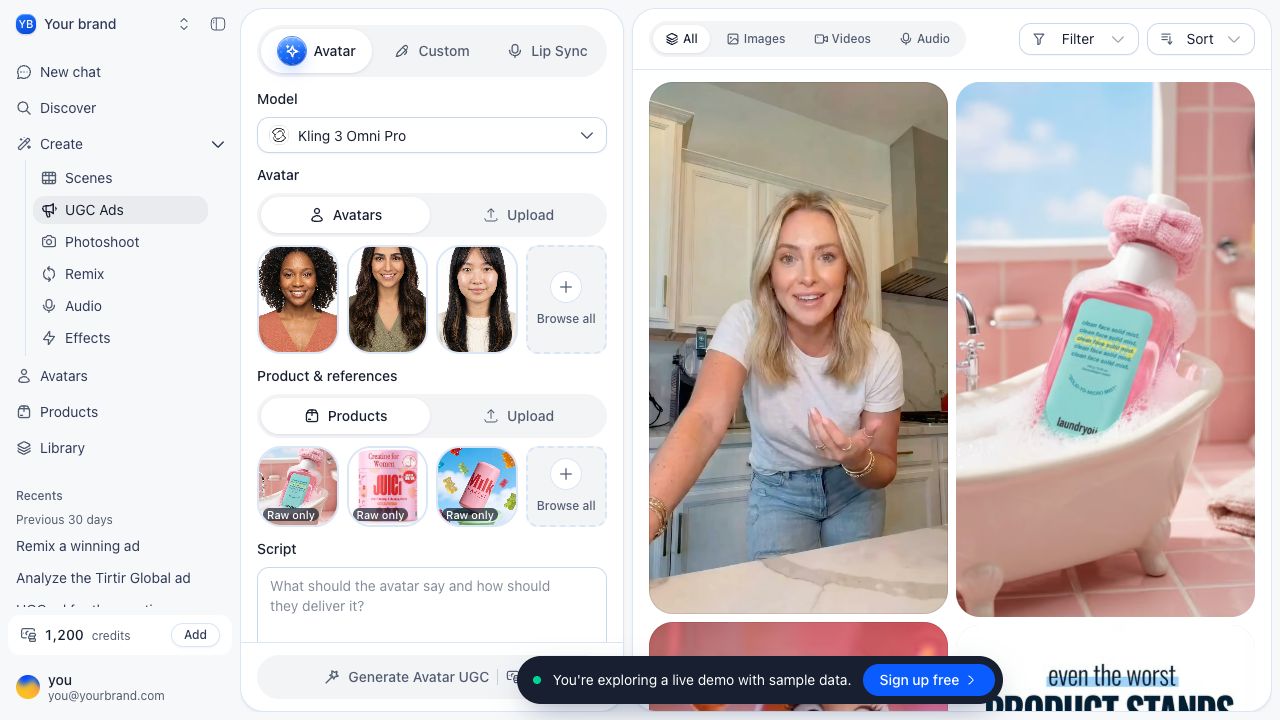
In the public roasOS UGC demo, Avatar mode exposes avatar and product/reference inputs alongside the script. This screenshot is an interface reference, not evidence that the template above generated the sample library.
Repair the specific failure
When the label changes, increase product clarity or reduce rotation. When the action looks wrong, simplify the movement. When the voice rushes, shorten the line or allow a separate scene. Avoid changing the actor, angle and message together while trying to diagnose one problem.
| Observed failure | Useful next change | Keep stable |
|---|---|---|
| Product shape drifts | Use a clearer reference and less rotation | Actor and script |
| Hands intersect packaging | Simplify grip or cut to product footage | Product appearance |
| Speech is rushed | Shorten one line or split the beat | Intended claim |
| Face changes between shots | Reuse the same identity reference | Wardrobe and lighting |
Save the prompt with the accepted output
A prompt alone is not a repeatable recipe. Store the reference files, selected mode and model, settings, date, output and rejection notes. When model behavior changes, this record helps distinguish a changed input from a changed generator.
Before batching, create a single scene that meets the checklist. Then make a limited variation set tied to one question. If you cannot explain why a scene was accepted, it is too early to automate the approval decision.