
Creatify alternatives for UGC and product ads
Compare alternative workflows for creator-style video, product imagery and ad revisions, with a practical selection checklist.
By Janice Phil · Growth · Published

In this article
Name the gap before replacing Creatify
Creatify alternatives make sense when a particular workflow is not meeting your needs. That could be a difficult product interaction, a revision process, the type of creative you need, or the way a team organizes output. Start with that requirement rather than a generic ranking of AI tools.
Creatify’s current Ad Agent documentation describes chat-based creation from product inputs and iterative edits. This guide uses official sources checked October 6, 2026; it does not claim every alternative was tested with the same campaign. roasOS publishes this comparison.
Compare the production paths
A platform can support many models without making every task equally easy. The important question is how you move from a source asset to something your team can approve.
| Need | Candidates to examine | Trial task |
|---|---|---|
| Actor-led product explanation | roasOS, Arcads, MakeUGC | Short spoken scene with accurate product scale |
| Product imagery plus UGC | roasOS, Maxfusion | One product reference across image and video tasks |
| Research-led concepts | Starpop, Creatify, Maxfusion | Trace a brief from research to an editable concept |
| Controlled revisions | Each candidate in your shortlist | Change the opening while preserving product and identity |
Evaluate roasOS with a concrete brief
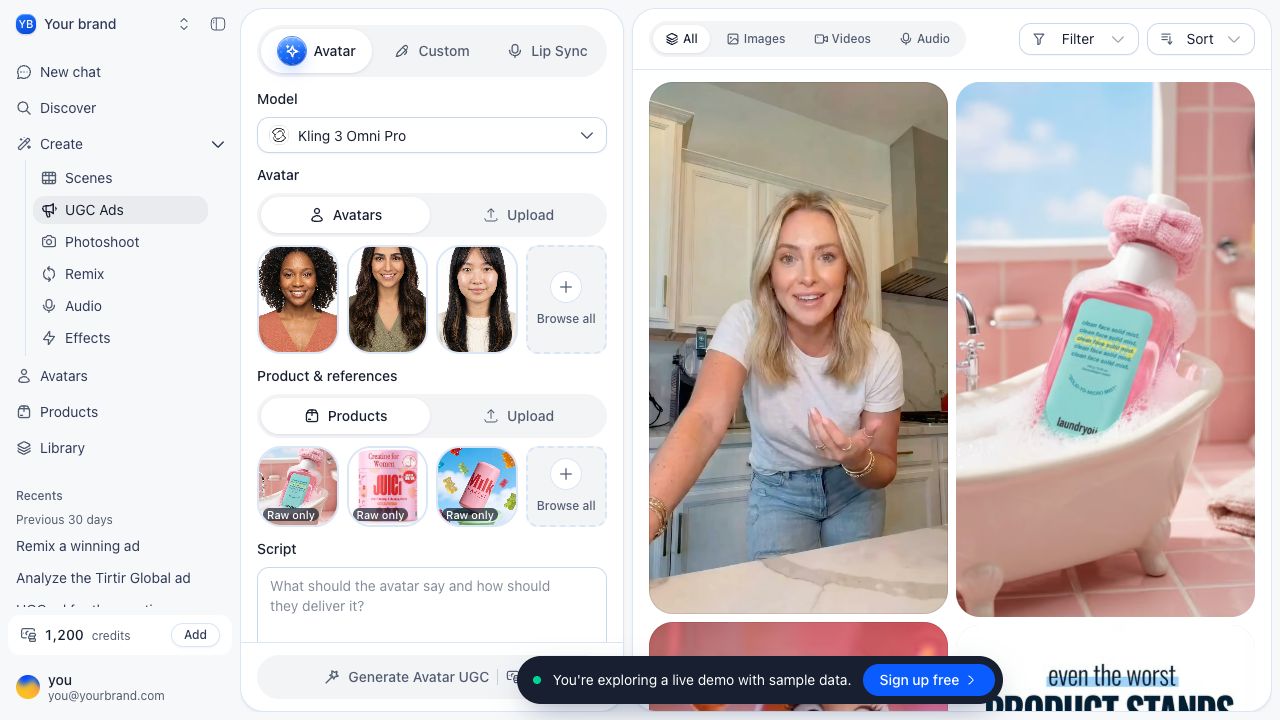
The roasOS UGC workspace has separate Avatar, Custom and Lip Sync modes. The broader creative studio includes image, video and product workflows. This makes it a candidate for teams that want to keep references close to the creative work.
Inspect the demo for interface fit, then evaluate production with an authorized product image and a short approved script. Check which model and input combinations are actually offered. Do not infer that a sample credit balance, demo asset or homepage illustration is a production benchmark.
Compare accepted ads, not incompatible credit counts
Credits are not a standard unit across platforms. A plan with more credits can still produce fewer usable clips for the particular model and duration you need. Include retries, editing time and any additional tools in the comparison.
Build a small worksheet for the same deliverable: one vertical ad, one product reference, one spoken line and one revision. Record the live quote or charge, the final usable output, and the time needed to finish it. Use current published terms for each plan; do not reuse a promotional price as a permanent fact.
If one tool cannot complete the requested task, record the limitation. Replacing the task with an easier demonstration hides the reason you were evaluating alternatives.
Check the handoff before moving a team
Confirm how you will retain source files, approved scripts and finished exports. Test who can review a job and whether the revision process fits your working habits. Keep an existing production workflow until the replacement has delivered acceptable material for the actual task.
A reasonable result can be to stay with Creatify for one job and use another tool for a different format. Consolidation is useful when it removes friction; it is not a goal that overrides output quality.